Letter of Accommodation Request Form
Dear ARC Student,
Good news! We’re moving to the new Accessible Information Management (AIM) system called myARC— an all-in-one online space where you can request and track your accommodations easily.
Step1: Please log in to your AIM student profile using your Seattle Colleges credentials (the same one you use for Wi-Fi and email access) https://hayes.accessiblelearning.com/SeattleCentral
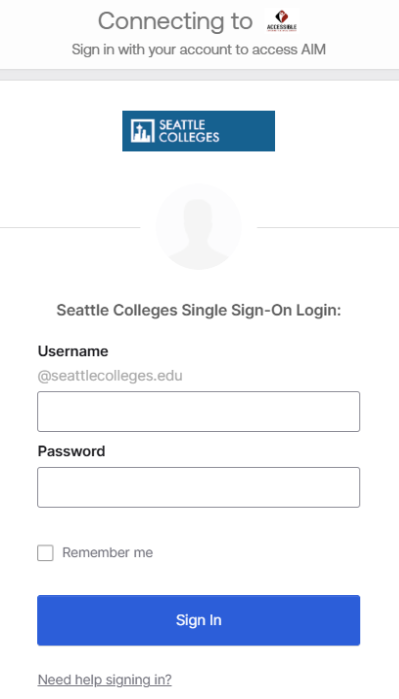
If you do not know your credentials, please visit to reset it here: https://tools.seattlecolleges.edu/home
Step 2: Once you are logged into the database, click “Continue and Sign Electronically.”
Some accommodations require forms to be completed on a quarterly basis. Please review the main page and complete any required e-Forms. You will not be able to view your accommodation information until all required forms are submitted.
Please note that some students may not have any e-Forms to complete at this time.
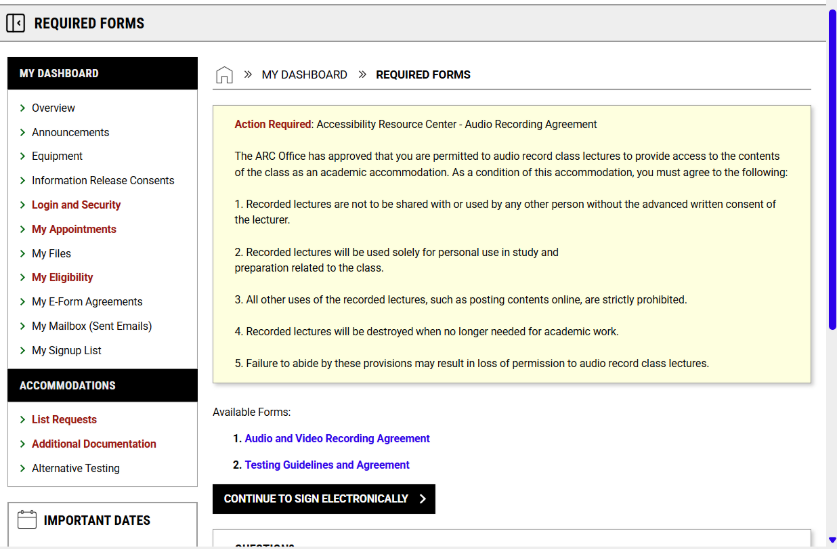
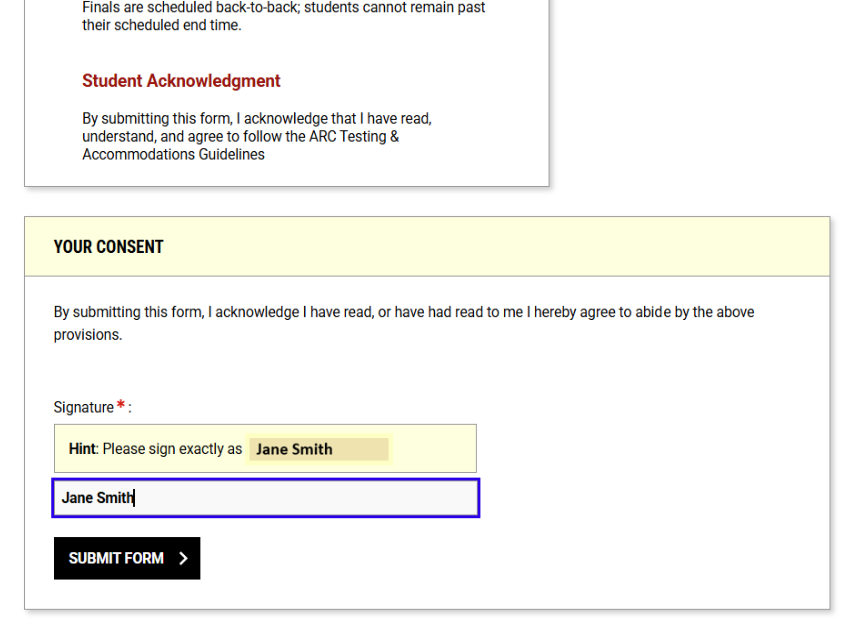
Step 3: Once you submit required e-forms, you are now in your student dashboard
If you registered for Winter 2026 courses, you can request accommodations.
Click “add request for this class”
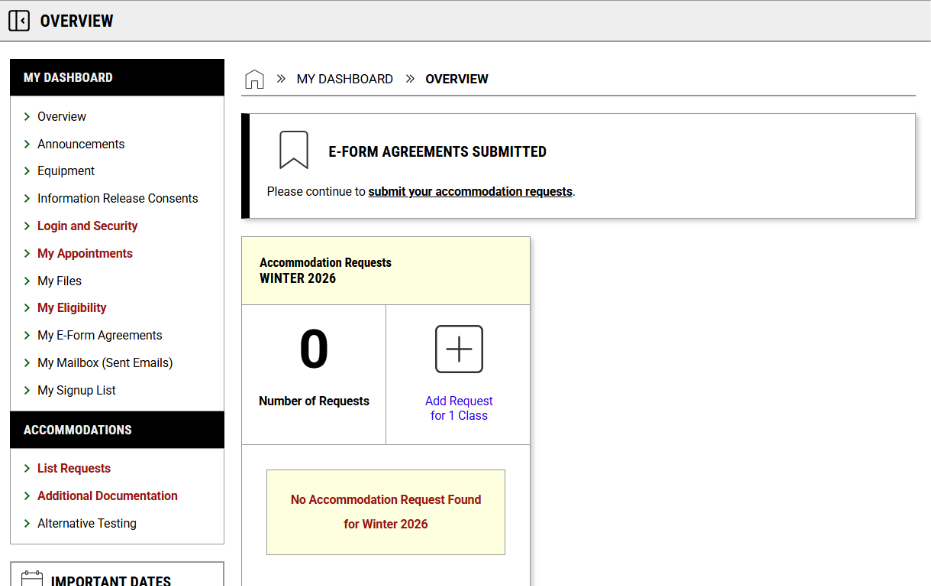
Step 4: Each box will contain the class at the top and your list of accommodations underneath. For the accommodations, you may either select “Select All” to apply your accommodations to all your classes or choose specific accommodations for each class individually.
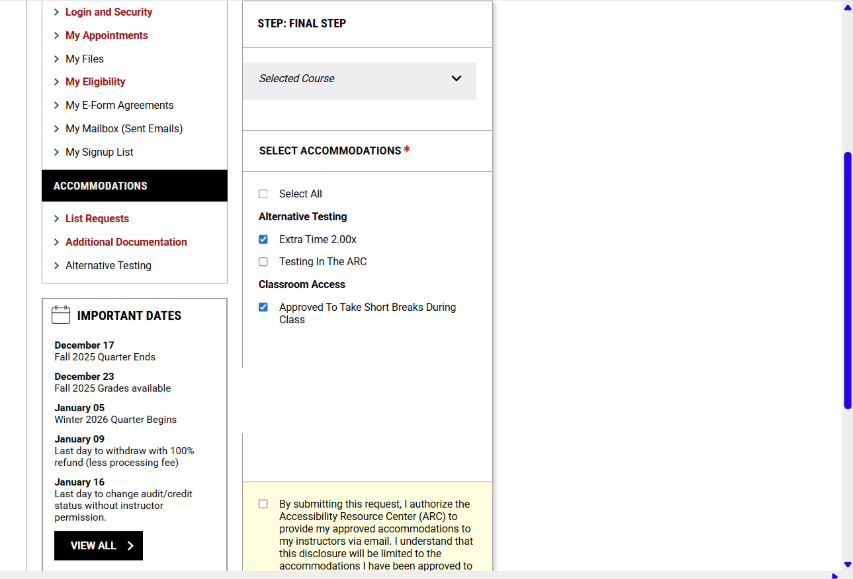
Step 5: When you finish selecting your accommodations, mark the checkbox below, confirming your accommodation request, and click “submit” button.
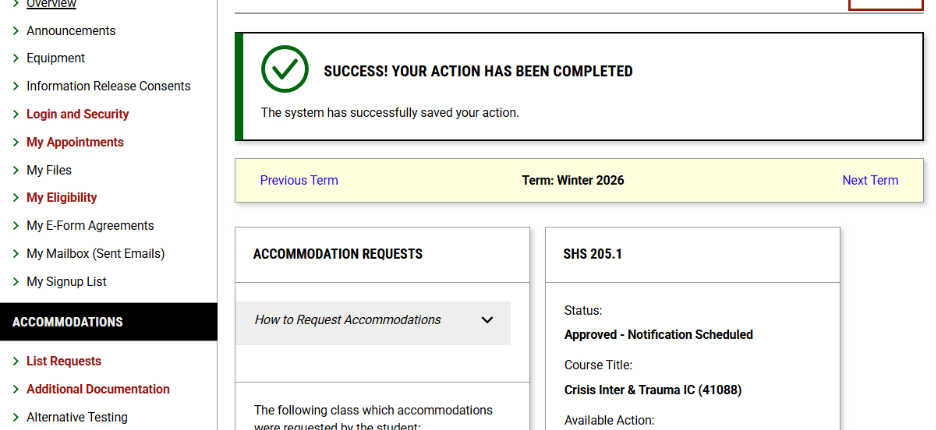
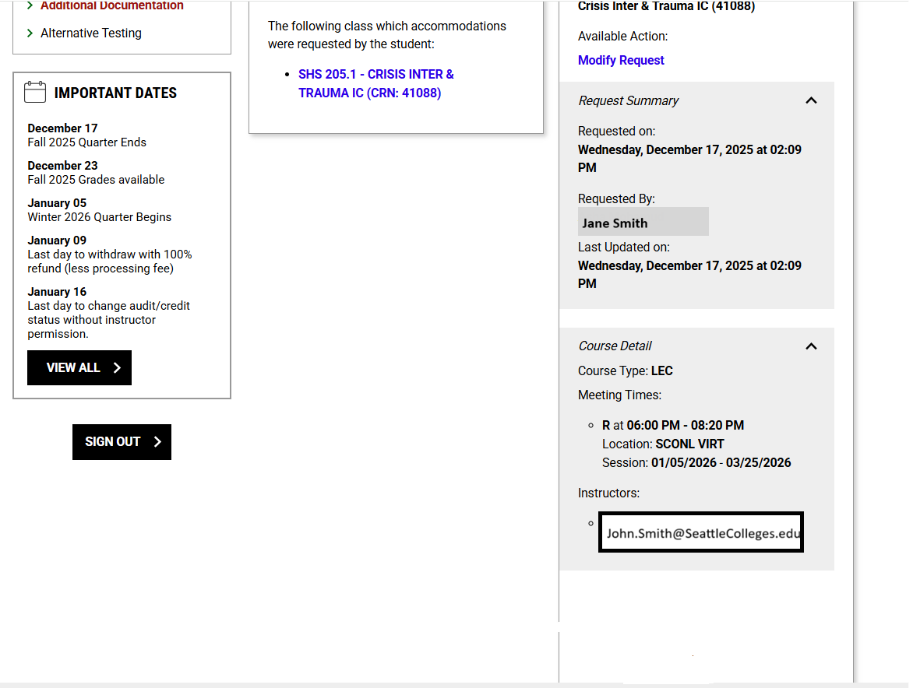
Step 6: After submitting your request, you will be taken to the main page, where you can check the status of your accommodation letter along with your class and instructor details.
Accommodations aren’t automatically sent; you must log in each quarter to request.
Your accommodations will be sent out on the day that you request and submit. If you request before the quarter begins, it will be sent out on the first day of the class.
Please reach out to us if you have any questions.